

Blog
Zoho Analytics Dashboards for Services Businesses
Build a Zoho analytics services dashboard that tracks utilization, realization, and pipeline-to-delivery so leaders see…
11 min read
Read article →
UAE e-invoicing applies to free zone companies. Being registered in JAFZA, DIFC, ADGM, DMCC, Dubai South, or any other free zone does not grant an automatic exemption. What it does mean is that your transactions may fall under a specific scenario in the UAE Electronic Invoicing guidelines that carries additional data requirements beyond those for standard mainland B2B invoices. For NetSuite users, some of those requirements need custom development to satisfy. This post covers what the free zone scenario requires, where NetSuite falls short natively, and what your implementation team needs to build. For a broader overview of the programme, see the UAE e-invoicing integration guide for NetSuite.

The UAE Ministry of Finance Electronic Invoicing Guidelines (V1.0, February 2026) define a specific “Free Zone” scenario. A transaction falls under this scenario when any of the following conditions are true:
In practice, this means almost every invoice a free zone company issues or receives can trigger the free zone scenario. If your company is registered in JAFZA and you sell to a mainland UAE buyer, that transaction involves a free zone supplier. The scenario applies. If a DIFC-registered professional services firm bills a DMCC-registered client, both parties are in free zones, so the scenario applies twice over.
The exceptions are narrow. Companies whose activities fall under sovereign functions, specific airline passenger transport exclusions, or other categories carved out under the relevant ministerial decisions may be excluded. For the vast majority of commercial free zone businesses, assume you are in scope.
This is the element that catches most free zone companies off guard. When the customer on an invoice is a free zone entity, the electronic invoice must include details of the beneficiary in addition to the customer. This is not optional and it is not the same field.
The guidelines define these two parties precisely:
For most standard B2B transactions, the beneficiary and the customer are the same legal entity. A company orders software licences for its own use: the contracting party and the end user are identical. In that case, beneficiary details still need to appear on the invoice, but they will mirror the customer record.
Where it becomes more complex is when the customer is procuring on behalf of a third party. A holding company that orders equipment to be used by a subsidiary, a procurement agent buying on behalf of a client, or a regional headquarters purchasing services that will be consumed by a local entity: in all these cases, the ultimate beneficiary differs from the buyer. Both must be recorded. If the customer has formally declared another party as the end user, that declared party is the beneficiary for invoicing purposes.
This requirement is specific to the UAE e-invoicing mandatory fields for NetSuite and goes beyond what standard invoice templates capture. It has direct implications for how your customer master data is structured and what information you collect at the point of sale.
Each electronic invoice in the UAE system carries an 8-character binary transaction type code. Each position in this string flags a specific invoice characteristic. Position 1, the leftmost character, is the Free Trade Zone flag.
When the free zone scenario applies to a transaction, this flag must be set to “1”. If the transaction does not involve a free zone, the flag is “0”. The full 8-character string might look like this:
| Position | Meaning | Free Zone Example | Non-Free-Zone Example |
|---|---|---|---|
| 1 (leftmost) | Free Trade Zone flag | 1 | 0 |
| 2 | Nominal supply flag | 0 | 0 |
| 3–8 | Other transaction attributes | 000000 | 000000 |
A standard free zone invoice with no other special characteristics would carry the code “10000000”. The integration layer is responsible for constructing this string correctly for every invoice before submission to the accredited service provider (ASP).
The participant ID format also applies to free zone companies in the same way as all other UAE VAT-registered entities: the format is 0235:TIN, where TIN is the first 10 digits of your Tax Registration Number.
NetSuite’s standard invoice functionality was not built for UAE e-invoicing compliance. The following requirements from the free zone scenario have no native equivalent in a default NetSuite configuration:
The PINT-AE standard (the UAE flavour of the Pan-European Invoice Norm) defines the XML structure that all electronic invoices must conform to for submission. NetSuite cannot generate this format without custom development or a certified integration solution. This is not unique to free zone requirements; it applies to UAE e-invoicing broadly. But the free zone scenario adds specific XML elements, particularly for the beneficiary, that must be populated correctly.
To make NetSuite compliant for free zone e-invoicing, your implementation team needs to build the following. See also the detailed technical guidance on how to integrate NetSuite with a UAE e-invoicing service provider.
Two custom fields on the Customer record are required:
The SuiteScript or middleware connector responsible for PINT-AE XML generation must do the following for every invoice:
Companies with multiple subsidiary legal entities in NetSuite, some in free zones and some on the mainland, need subsidiary-level configuration. The free zone flag for the supplier must be set at the subsidiary or legal entity level, not at the invoice level.
The technical customizations only work if the underlying data is accurate. Your sales and accounts receivable teams need a process to:
Retroactively adding beneficiary data after invoice submission is not a compliant approach. The XML submitted to the ASP must be correct at the time of submission.
The compliance timeline under Ministerial Decision No. 244 of 2025 applies to free zone companies on the same basis as all other UAE businesses:
| Revenue Threshold | ASP Appointment Deadline | Go-Live Deadline |
|---|---|---|
| AED 50 million and above | 31 July 2026 | 1 January 2027 |
| Below AED 50 million | 31 March 2027 | 1 July 2027 |
The ASP appointment deadline is earlier than the go-live date because the ASP needs time to onboard your business, configure your connection, and test the integration. For companies in the first wave, the July 2026 deadline for selecting and appointing an ASP is now less than two months away. For full detail on what these dates require, see the UAE e-invoicing compliance deadlines 2027.
For free zone companies specifically, the preparation steps are:
0235:TIN, where TIN is the first 10 digits of the company’s Tax Registration Number. There is no separate participant ID scheme for free zone companies.Aaxonix implements UAE e-invoicing for free zone companies running NetSuite, including custom field development, PINT-AE integration, and ASP connectivity. Get in touch to scope your compliance project.
Book a free consultationFree zone companies have specific obligations under the UAE e-invoicing framework that go beyond the standard mandatory fields. The beneficiary requirement and the transaction type code flag are not complex concepts, but they do require deliberate attention in how your customer master data is structured and how your integration layer generates XML. Starting the NetSuite customization work now, alongside ASP selection, is the practical path to meeting the applicable deadline. NetSuite implementation and integration services from a partner with UAE compliance experience will reduce the risk of gaps in your free zone invoice data at go-live.
Tell us what you are working through and a senior architect from our team will get back to you with a straight answer, usually within a couple of working days. No bot, no hard sell.
A senior architect will get back to you at , usually within a couple of working days. Worth checking your spam folder, just in case.
Build a Zoho analytics services dashboard that tracks utilization, realization, and pipeline-to-delivery so leaders see…
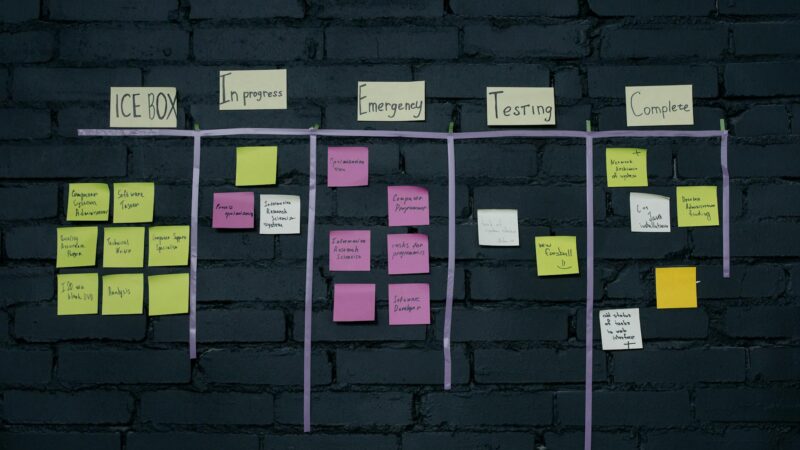
Master Zoho Sprints: set up your backlog, run sprint planning, track burndown charts, and measure…

Compare Zoho One vs Odoo on price, modules, customization and fit. See where each suite…
Tell us what you are actually trying to do. You will get a straight answer from a senior architect who has done this before, not a sales rep.
A senior architect will get back to you at , usually within a couple of working days. Worth checking your spam folder, just in case.
Ask it now and a senior architect will get back to you, usually within a couple of working days. It goes to our team, not a mailing list.
A senior architect will get back to you at , usually within a couple of working days. Worth checking your spam folder, just in case.