
Blog
Zoho Inventory and Amazon FBA Integration: Sync Stock, Automate Inbound Shipments, and Reconcile Settlements
On this page Amazon FBA sellers face a recurring inventory management problem: their stock lives…
8 min read
Read article →
Running 10 to 50 retail locations means managing a level of operational complexity that most point solutions were never designed to handle. Inventory sits in siloed systems, POS terminals push sales data into spreadsheets, and finance teams reconstruct location-level P&Ls from exports that are already 24 hours out of date. The result: stockouts in one store while another holds 60 days of the same SKU, and a month-end close that takes two weeks instead of two days. NetSuite for retail addresses this at the architecture level, not through workarounds. This post covers exactly how it works across inventory, POS integration, financial reporting, demand planning, and ecommerce, with specific detail on what a mid-market retailer running 10 to 50 locations should expect during implementation. If you are evaluating ERP systems to unify your operations, the sections below give you the technical and commercial picture you need to make that decision.

Most multi-location retailers start with tools that made sense at one or two stores: a standalone POS, a separate inventory app, an accounting package, and a third-party ecommerce platform. Each works well in isolation. The problem appears at scale. When a chain reaches ten or more locations, data synchronisation across these systems becomes a full-time job, and it still fails in predictable ways.
The three failure modes are well-documented among retail industry solutions practitioners. First, inventory fragmentation: because each store’s stock is tracked in a different system or a different spreadsheet tab, the business cannot see its true on-hand position across the network without running manual reconciliations. A customer asking about stock availability at another location gets an answer based on yesterday’s data at best. Second, POS disconnection: sales data has to be exported, transformed, and imported into the accounting system, introducing lag and human error at every step. Third, financial opacity: when location-level P&Ls require an analyst to manually allocate shared costs and reconcile intercompany stock transfers, the business is always working with historical data rather than current performance.
These are not software configuration problems. They reflect a fundamental architectural mismatch between single-entity tools and a multi-location retail operation. A purpose-built retail ERP replaces the patchwork with a single data model that covers inventory, transactions, and financials across every location and channel in one system.
NetSuite’s netsuite omnichannel inventory model is built on a multi-location inventory structure where every store, warehouse, and fulfilment point is a separately tracked location within the same system. Stock moves between locations via internal transfers that update the general ledger automatically, so there is no gap between operational and financial inventory records.
Every item record carries a real-time on-hand, committed, and available quantity broken down by location. A store associate, a buyer, and a fulfilment team member can each see the same current picture without logging into different systems. For a chain with 25 stores and a central warehouse, this means the buyer can identify which stores are overstocked on a slow-moving SKU and initiate a transfer rather than placing a new purchase order.
For retailers who need granular tracking, NetSuite supports bin-level inventory within a location and lot or serial number tracking at the item level. A footwear chain managing size runs and serial-tracked high-value items can track stock down to the individual shelf position, which matters operationally when running cycle counts without closing the store.
Every stock adjustment, whether from a physical count, a write-off, or a vendor credit, is logged with a timestamp, the user who made the change, and the resulting GL impact. This audit trail is critical for retailers subject to external audits and for operations teams investigating shrinkage patterns by location.
Pairing this with strong inventory management best practices around cycle count frequency and adjustment authorisation workflows gives multi-location retailers a measurably tighter stock accuracy rate, typically moving from 85 to 90 percent accuracy with disconnected systems to 97 to 99 percent within 12 months of NetSuite deployment.
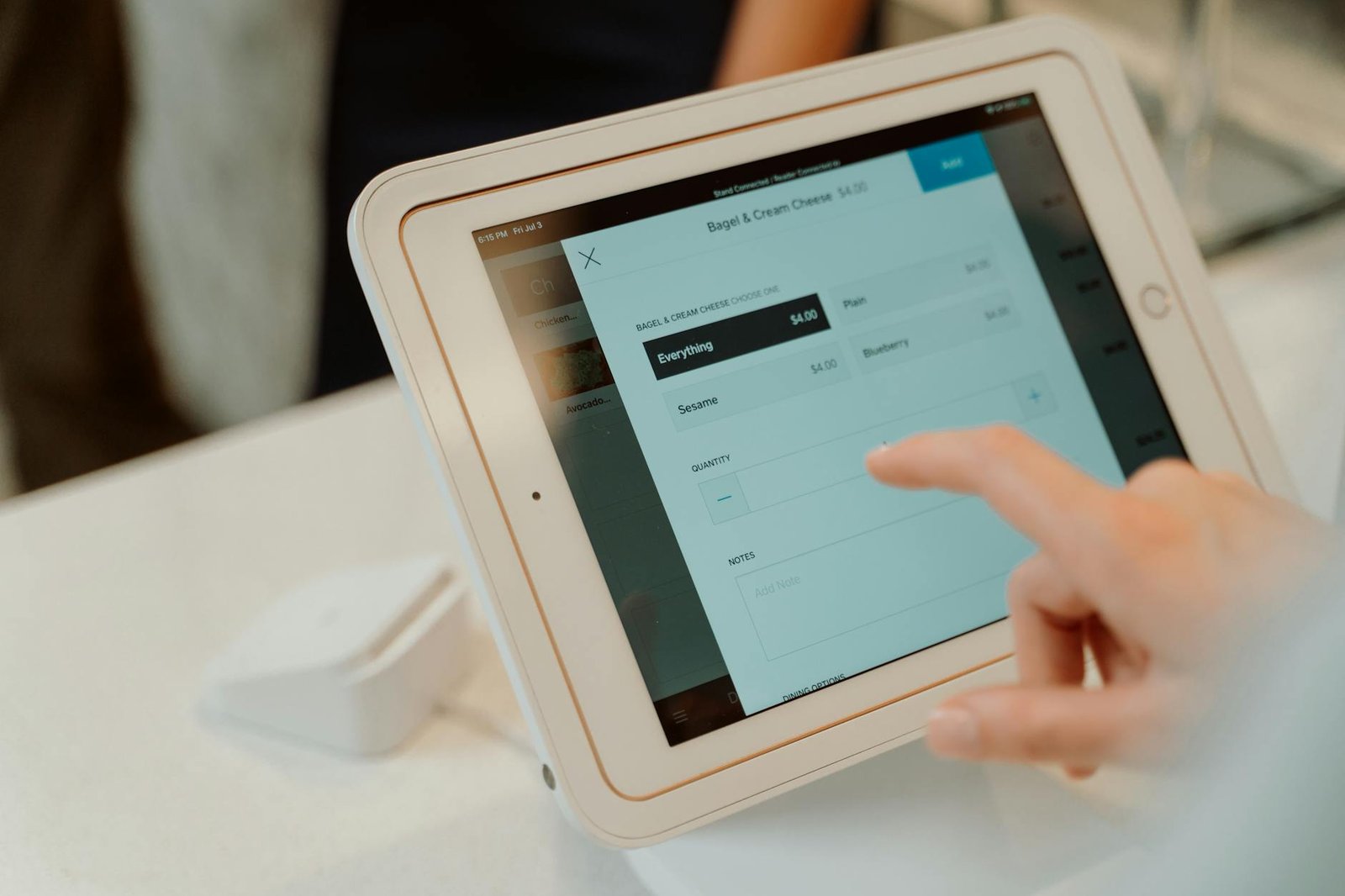
NetSuite does not ship with a built-in POS terminal for physical retail in the traditional sense, but it integrates with the major POS platforms used by mid-market chains, and it offers SuiteCommerce InStore as its own clienteling and assisted-selling tool for store associates working from tablets.
The most common netsuite retail pos integration patterns involve platforms like Square for Retail, Lightspeed, Shopify POS, and Verifone. These integrations are typically built using either NetSuite’s SuiteScript API, pre-built connectors from integration platforms such as Celigo or Boomi, or certified SuiteApp connectors available in the NetSuite SuiteApp marketplace. The integration scope for a standard deployment covers:
For retailers who want a tighter native connection, SuiteCommerce InStore runs as a browser-based application on in-store devices and connects directly to the NetSuite database. Store associates can look up real-time inventory across locations, create sales orders for out-of-stock items, process returns against any original transaction in the system, and capture customer preferences. Because InStore sits natively inside NetSuite, there is no integration layer to maintain and no data lag between a completed sale and the updated stock and financial records.
The practical outcome of either integration approach is the elimination of the daily or weekly sales import process. A store completing a transaction at 2pm shows that revenue in the NetSuite P&L by 2:05pm. Stock is decremented immediately. The finance team sees accurate daily revenue by location without waiting for a batch process to complete.
Financial visibility at the location level is where NetSuite for retail delivers some of its clearest measurable value for CFOs and finance teams. The system’s NetSuite multi-entity management, multi-subsidiary structure means every transaction carries a location dimension from the moment it is recorded, so financial reporting by store, region, or channel requires no post-processing.
NetSuite’s segmented P&L reporting uses departments, locations, and classes as reporting dimensions that sit alongside the chart of accounts. A retailer can run a P&L that shows revenue, COGS, and gross margin for each of its 30 stores on the same report, filtered by any time period, without building a custom report or exporting data to a BI tool. This is a configuration decision made during implementation, not a development project.
One of the persistent problems for retail finance teams is COGS accuracy when purchase costs include freight, duty, and other landed cost components that are not captured at the time of the purchase order. NetSuite’s landed cost module allocates these additional costs against the original purchase receipts using configurable allocation methods, including weight, quantity, or value. This means the per-unit cost recorded for a SKU reflects its true landed cost, not just the supplier invoice price, which directly improves gross margin accuracy by location.
Because NetSuite holds both the sales price and the costed inventory value for every transaction, margin reporting at the SKU, category, and supplier level is available without additional configuration. A category manager can see which product lines are contributing positive margin at which locations and which are diluting store profitability, with data current to the last completed transaction.
The NetSuite ERP implementation guide covers financial configuration options in detail, including chart of accounts structure and multi-currency handling for retailers operating across multiple countries.
Inventory planning for a multi-location retailer is structurally different from planning for a single warehouse. Each store location has its own sales velocity, its own seasonal pattern, and its own physical capacity constraint. A replenishment model that works at the aggregate level will systematically over-stock slow stores and under-stock fast ones.
NetSuite’s NetSuite demand planning module addresses this with location-specific reorder points and preferred stock levels. The system calculates demand based on configurable historical periods, applies seasonal adjustment factors, and generates replenishment suggestions that can be reviewed and converted to purchase orders or transfer orders in a single workflow.
Each item-location combination in NetSuite carries its own reorder point and preferred stock level. These can be set manually, calculated by the demand planning module based on sales history and lead time, or imported from an external planning tool via CSV or API. When on-hand stock falls below the reorder point at a location, NetSuite generates a supply suggestion visible to the purchasing or logistics team.
For chains with a central distribution centre, replenishment flows as transfer orders rather than purchase orders. A transfer order in NetSuite records the stock movement from the warehouse to the store, adjusts available quantities at both ends in real time, and updates the GL with the intercompany movement. This eliminates the manual tracking of in-transit stock that creates reconciliation problems in disconnected systems.
NetSuite holds supplier lead times at the item-vendor level and factors these into demand planning calculations. For a retailer ordering from multiple suppliers with different lead times across different product categories, this prevents the system from suggesting replenishment orders that will arrive after the stockout has already occurred. Purchase orders are created directly from supply suggestions and routed through any required approval workflow before transmission to the supplier.
For retailers operating both physical stores and an online channel, inventory allocation across channels is one of the most operationally expensive problems to solve with disconnected systems. Overselling online because the ecommerce platform has not yet received the in-store sales update is a direct customer experience and fulfilment cost problem.
NetSuite SuiteCommerce is NetSuite’s native ecommerce platform, built on the same data layer as the ERP. Because the online store runs on the same item and inventory records as the physical store operations, stock quantities on the website reflect the actual NetSuite on-hand figure with no synchronisation delay. An item sold online at 10am reduces the available quantity in NetSuite immediately, with no batch process or API call to a separate system.
Retailers who do not want to expose their total on-hand stock to the online channel can configure NetSuite to reserve a portion of inventory for each channel. A retailer holding 100 units of a product across its store network might allocate 30 units to the online channel as the maximum available for ecommerce orders, protecting the remaining 70 units for walk-in customers. This allocation is managed at the item level and adjusts dynamically as online orders are placed and fulfilled.
SuiteCommerce supports ship-from-store fulfilment by routing online orders to specific store locations based on proximity to the customer shipping address, available stock, and configured routing rules. The store associate receives the fulfilment task in NetSuite, picks and packs the order, and marks it shipped, which triggers the customer notification and the revenue recognition entry simultaneously. This capability is critical for retailers looking to reduce fulfilment costs and improve delivery speed without building a separate warehouse operation.
Cross-channel returns, where a customer purchases online and returns in store, are supported natively. The return transaction in NetSuite links back to the original online order, applies the correct revenue reversal and stock reinstatement, and records the tender used for the refund. This eliminates the manual return reconciliation that causes inventory and financial discrepancies in systems where online and in-store transactions live separately.
A NetSuite retail implementation for a chain in the 10 to 50 location range typically runs 16 to 28 weeks from project kickoff to go-live, depending on the number of integrations, data migration complexity, and the number of custom workflows required. The following table shows a representative phase breakdown.
| Phase | Duration | Key Activities |
|---|---|---|
| Discovery and design | Weeks 1-4 | Chart of accounts design, location structure, integration scoping, item master strategy |
| Configuration and build | Weeks 5-12 | NetSuite configuration, POS integration build, SuiteCommerce setup, custom workflows |
| Data migration | Weeks 8-14 | Item master, customer records, open purchase orders, historical inventory by location |
| Testing | Weeks 13-18 | Integration testing, UAT across store scenarios, financial reconciliation testing |
| Training and go-live | Weeks 19-22 | Store manager training, central team training, parallel run, cutover |
| Stabilisation | Weeks 23-28 | Hypercare support, month-end close support, performance optimisation |
The three most common reasons retail implementations run longer than planned are item master data quality, POS integration complexity, and scope changes discovered during UAT. Item master data is frequently the highest-risk area: a chain operating for several years across multiple systems often has duplicate items, inconsistent unit of measure configurations, and cost data that does not reconcile to the accounting records. Budgeting three to four weeks for data cleansing before the migration phase begins is standard practice on well-run deployments.
For chains with 20 or more locations, a phased go-live by region or store cluster is lower risk than a single cutover date. Typically the central warehouse and head office go live first, followed by the first cluster of stores two to four weeks later. This approach allows the implementation team to identify and resolve integration and training issues at small scale before rolling out to the full network.
Does NetSuite work with existing POS systems, or do retailers have to replace them?
NetSuite integrates with most major POS platforms through pre-built connectors or API-based integrations. Retailers running Square for Retail, Lightspeed, Shopify POS, or Verifone can typically retain their existing POS and connect it to NetSuite using a certified integration partner or a connector from the NetSuite SuiteApp marketplace. Replacing the POS is only necessary if the existing system has no available integration path or if the retailer wants to consolidate onto SuiteCommerce InStore, which is NetSuite’s native in-store selling tool.
How does NetSuite handle inventory across both online and physical store channels?
NetSuite SuiteCommerce uses the same inventory database as the physical store and warehouse operations, so stock quantities on the ecommerce site reflect real NetSuite on-hand figures without a synchronisation delay. Retailers can allocate a portion of inventory exclusively to each channel to prevent overselling. Online orders and in-store sales both decrement the same inventory record, and cross-channel returns are processed against the original transaction regardless of which channel it occurred on.
Can NetSuite produce a separate P&L for each store location?
Yes. NetSuite’s segmented reporting uses location as a standard reporting dimension alongside department and class. Every transaction recorded in the system carries its location tag, so a P&L by store, region, or channel is available in real time using standard NetSuite reports. No custom development or data export is required. Finance teams can also allocate shared costs such as central marketing or distribution expenses across locations using configurable allocation rules.
What is a realistic implementation timeline for a retailer with 20 stores?
A retailer with 20 stores, one central warehouse, a single POS platform, and a SuiteCommerce online channel should plan for 20 to 24 weeks from project kickoff to go-live for the first store cluster, with a full network rollout completing within 28 weeks. The largest variable is data migration complexity, specifically item master quality. Retailers with clean item and cost data consistently implement faster than those requiring significant pre-migration data cleansing.
Does NetSuite support demand planning at the individual store level, or only at the warehouse level?
NetSuite’s demand planning module calculates reorder points and preferred stock levels at the item-location level, meaning each store can have its own replenishment parameters based on its specific sales history, lead times, and seasonal patterns. A fast-selling location in an urban centre and a lower-velocity suburban store can carry different safety stock levels for the same SKU without any manual override process. The module generates location-specific supply suggestions that the planning team reviews before converting to purchase or transfer orders.
Aaxonix is a certified NetSuite implementation partner with hands-on experience deploying omnichannel retail configurations across multi-location chains. Book a free consultation and get a scoped retail implementation plan, covering inventory architecture, POS integration approach, and financial reporting design, within 48 hours.
Book a free consultationFor a mid-market retail chain, the decision to consolidate onto a single ERP platform is primarily a data architecture decision. The operational and financial visibility gaps that grow with each new location are a structural consequence of disconnected systems, not a management problem. NetSuite for retail closes those gaps at the platform level, giving operations, finance, and merchandising teams accurate data in a single system. The next practical step is a scoped assessment of your current architecture against the NetSuite configuration that fits your store count, channel mix, and reporting requirements.
Tell us what you are working through and a senior architect from our team will get back to you with a straight answer, usually within a couple of working days. No bot, no hard sell.
A senior architect will get back to you at , usually within a couple of working days. Worth checking your spam folder, just in case.
On this page Amazon FBA sellers face a recurring inventory management problem: their stock lives…

Step-by-step guide to migrating from spreadsheets to Zoho Books, Expense, and Inventory. Covers data export,…

Migrate from Tally to NetSuite: data cleanup, chart of accounts mapping, opening balances, cutover strategy,…
Tell us what you are actually trying to do. You will get a straight answer from a senior architect who has done this before, not a sales rep.
A senior architect will get back to you at , usually within a couple of working days. Worth checking your spam folder, just in case.
Ask it now and a senior architect will get back to you, usually within a couple of working days. It goes to our team, not a mailing list.
A senior architect will get back to you at , usually within a couple of working days. Worth checking your spam folder, just in case.