

Blog
Zoho One vs Microsoft 365 and Dynamics 365: Which Covers More?
A direct comparison of Zoho One vs Microsoft 365 and Dynamics 365 across productivity apps,…
12 min read
Read article →
Zoho People attendance management covers the full cycle from check-in capture to payroll credit, and for companies with 50 to 500 employees across multiple shifts, getting that configuration right from day one saves significant manual correction work every month. Whether you run a single-location office in Pune or a multi-site manufacturing unit with rotating shifts, the platform gives HR teams the controls to enforce attendance policies, calculate overtime correctly under Indian labour law, and feed verified hours directly into payroll without a spreadsheet in between. This guide walks through each configuration layer in the order you would typically set it up, so you can go from a blank Zoho People account to a fully automated attendance-to-payroll flow.
The Zoho People HR platform stores attendance as individual records tied to each employee’s shift assignment. Every record captures four core values: check-in time, check-out time, total working hours, and overtime hours. The system then compares actual working hours against the shift definition to determine status: Present, Absent, Late, Half-Day, or On Leave.
Attendance records can be created through four input channels:
Each channel feeds into the same attendance table, so HR can run unified reports regardless of how employees check in. The admin can also manually add, edit, or regularize attendance records, which matters for field staff who frequently miss automated captures.
A key configuration choice at this stage is the Attendance Regularization setting. When enabled, employees can raise a request to correct missing or incorrect check-in/out entries. HR or their reporting manager approves or rejects these before the monthly payroll run. Without this flow, HR ends up correcting attendance in bulk, which is error-prone at scale.
Shift configuration in Zoho People sits under Settings > Attendance > Shifts. Each shift requires a name, start time, end time, and a grace period for late arrivals. You can also define whether the shift crosses midnight, which is essential for manufacturing plants or BPO operations running night shifts.
Fixed shifts apply the same timing every working day. A typical general shift in an Indian office might run 09:00 to 18:00 with a 15-minute grace period and a 30-minute lunch break excluded from working hours. Set the minimum working hours threshold (commonly 4.5 hours for a half-day and 8.5 hours for a full day) so the system auto-classifies attendance status without manual review.
For companies where employees rotate across morning, afternoon, and night shifts on a weekly or monthly cycle, Zoho People supports shift rotation schedules. You build each individual shift first, then create a rotation pattern that assigns them in sequence. The system automatically moves employees to the next shift at the rotation boundary date.
Employee-level shift assignment is done individually or in bulk via CSV upload. This bulk method is the practical approach when onboarding 50 or more employees at once or when updating shift patterns at the start of a quarter.
| Shift Type | Best For | Key Setting |
|---|---|---|
| Fixed Day Shift | Office, sales, admin teams | Grace period, half-day threshold |
| Night Shift | BPO, manufacturing, security | Cross-midnight toggle, shift differential pay |
| Rotational | Factories, hospitals, logistics | Rotation frequency, auto-assignment date |
| Flexi Shift | Tech teams, remote employees | Core hours window, minimum daily hours |
Zoho People overtime calculation is configured per shift. Navigate to the shift settings and enable the overtime module. You then set two thresholds: the daily overtime trigger (hours worked beyond the shift end) and the weekly overtime trigger (total hours beyond the standard work week).
Under Indian labour law, specifically the Factories Act 1948 and various state-level Shops and Establishments Acts, overtime must be paid at twice the ordinary rate of wages. The weekly cap is 48 hours of regular work before overtime kicks in. For most Indian states, daily overtime begins after 9 hours of work (including the standard shift duration).
The overtime approval workflow is worth enabling for any company where overtime is a controlled expense. When an employee’s working hours exceed the threshold, a notification goes to their manager for approval before those hours count toward payroll. This prevents unclaimed overtime from accumulating unnoticed.
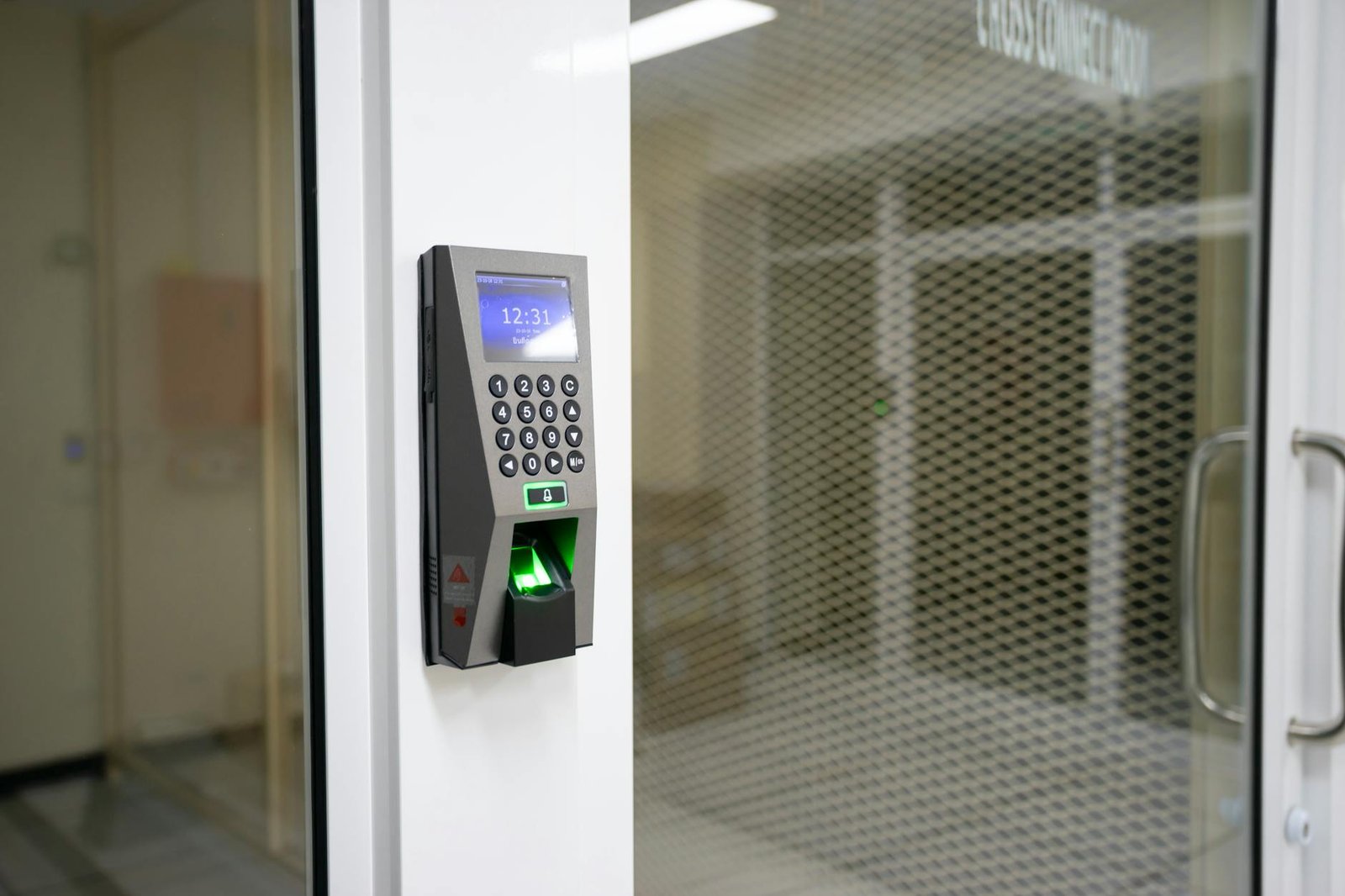
For Indian companies that have deployed biometric terminals from vendors like Essl, Matrix, or Mantra, Zoho People connects through its attendance API. The biometric device pushes punch records (employee ID, timestamp, punch type) to Zoho People either via direct API calls or through a local middleware agent that batches uploads periodically.
The integration requires the device to be configured with the Zoho People API endpoint and an OAuth token. The employee’s Zoho People ID must match the employee code stored on the biometric device. A mismatch here is the most common reason biometric punches fail to attach to the right attendance record. Always run a reconciliation report after the first week of go-live to catch ID mismatches early.
IP restriction is a simpler alternative for office environments where all employees connect through a fixed network. Under Settings > Attendance > IP Restriction, you whitelist the office public IP address. Employees can only check in from the web portal or mobile app when connected to that IP. This works well for back-office teams but is not practical for field sales or remote workers.
For hybrid teams, the recommended approach is to allow mobile GPS check-in for field employees and IP-restricted check-in for in-office staff, with the check-in method recorded on each attendance record so HR can audit by channel.
One of the most time-consuming manual tasks in HR is reconciling attendance absences against approved leave records. Zoho People handles this automatically once the leave-attendance integration is active. When an employee has an approved leave on a given day, the system marks that day as On Leave in the attendance record rather than Absent, preserving their attendance percentage and avoiding payroll deductions for legitimate time off.
The Zoho People leave management guide covers the full leave policy setup. For attendance purposes, the key integration points are:
To enable this linkage, go to Settings > Attendance > Leave Integration and toggle on the sync. You can also configure the system to auto-approve attendance regularization requests for days with prior approved leave, which reduces the HR team’s approval queue significantly.
Attendance feeds into payroll through three data points: total working days, loss-of-pay (LOP) days, and overtime hours. Once the attendance cycle closes at month end, these figures sync to Zoho implementation services clients who use Zoho Payroll as their payroll engine.
The sync works as follows. In Zoho Payroll, each pay component can be mapped to an attendance variable. The LOP deduction component maps to the LOP days count from Zoho People. The overtime earnings component maps to the overtime hours field. When you run payroll for the month, Zoho Payroll pulls the latest approved attendance data and applies these mappings automatically.
The Zoho Payroll setup guide covers the component mapping in detail. For attendance configuration, ensure these steps are complete before running the first integrated payroll:
Any attendance records still in draft or pending approval status will not flow to payroll. This is a deliberate design choice to prevent unverified data affecting salary calculations, but it means HR must close out all approval queues before the payroll run deadline.
Zoho People includes a set of pre-built attendance reports accessible under Reports > Attendance. The most useful for Indian HR teams managing compliance and payroll are:
| Report Name | What It Shows | When to Use |
|---|---|---|
| Monthly Attendance Summary | Present, absent, late, half-day counts per employee | Payroll preparation, manager reviews |
| Late Arrivals Report | Employees arriving after grace period, frequency count | Disciplinary action tracking |
| Overtime Report | Daily and weekly OT hours per employee | OT pay calculation, budget tracking |
| LOP Report | Loss-of-pay days per employee | Salary deduction verification |
| Regularization Requests | Pending and approved corrections | HR audit, compliance |
| Shift-wise Headcount | Employee count per shift per day | Workforce planning, shift balance |
Custom reports can be built using the report builder by adding filters for department, location, or shift. For companies with multiple branches across India, filtering by location lets HR managers run branch-specific reviews without needing separate accounts or modules.
The scheduled report feature is worth setting up for the monthly attendance summary. Configure it to auto-email to payroll and relevant managers on the first working day after the attendance period closes. This removes the manual step of pulling and distributing the report each month.
Can Zoho People handle attendance for employees on different shift timings in the same department?
Yes. Shift assignment in Zoho People is at the individual employee level, not the department level. You can have employees in the same team assigned to different shifts, and the system calculates attendance status and overtime against each employee’s own shift definition independently.
How does Zoho People calculate overtime when an employee works across a shift boundary?
For cross-midnight shifts, Zoho People treats the shift as a single working period. Overtime is calculated based on total hours worked in that shift period against the defined shift duration. The cross-midnight toggle in shift settings ensures the system does not split the shift at midnight and miscount hours.
Does biometric integration work with all devices available in India?
Zoho People supports integration with most major biometric brands used in India, including Essl, Matrix, Mantra, and Biomax, through its attendance API. Devices that can push data via HTTP POST or SFTP can be connected. Some older devices may require a local middleware agent to format and forward the punch records.
What happens if payroll runs before all attendance regularizations are approved?
Only approved attendance records sync to payroll. Any records in pending regularization status at the time of the payroll run will not be included. This means the employee’s working days count may be lower than actual, potentially resulting in an incorrect LOP deduction. HR should enforce a regularization cutoff date before the payroll run date each month.
Is Zoho People attendance management compliant with India’s labour law requirements for record-keeping?
Zoho People maintains a full audit log of all attendance records, edits, and approvals with timestamps and user details. The monthly attendance summary and overtime reports can be exported in formats suitable for factory register compliance under the Factories Act and Shops and Establishments Act requirements across Indian states. However, specific statutory register formats may need to be mapped using custom report templates.
Aaxonix configures Zoho People attendance management for Indian companies, including shift setup, biometric integration, overtime rules, and payroll sync. We handle the technical configuration so your HR team can focus on running payroll accurately from month one.
Book a free consultationZoho People attendance management gives Indian HR teams a structured way to handle the complexity of shift-based workforces, statutory overtime rules, and multi-channel check-in without maintaining parallel spreadsheets or manual reconciliation. The configuration sequence described here, from shift definitions through biometric integration and payroll sync, covers the standard setup for companies with 50 to 500 employees. Once each layer is in place and tested with a pilot group, the system runs month after month with minimal HR intervention beyond closing the attendance period and reviewing the summary report before payroll.
Tell us what you are working through and a senior architect from our team will get back to you with a straight answer, usually within a couple of working days. No bot, no hard sell.
A senior architect will get back to you at , usually within a couple of working days. Worth checking your spam folder, just in case.
A direct comparison of Zoho One vs Microsoft 365 and Dynamics 365 across productivity apps,…

How to choose the best Zoho partner in the UK: tiers, costs, VAT Making Tax…

See how Zoho One gives accounting firms one system for client management, compliance workflows, document…
Tell us what you are actually trying to do. You will get a straight answer from a senior architect who has done this before, not a sales rep.
A senior architect will get back to you at , usually within a couple of working days. Worth checking your spam folder, just in case.
Ask it now and a senior architect will get back to you, usually within a couple of working days. It goes to our team, not a mailing list.
A senior architect will get back to you at , usually within a couple of working days. Worth checking your spam folder, just in case.