

Blog
NetSuite MRP: Manufacturing Resource Planning Setup and Production Scheduling
Set up NetSuite MRP with bills of materials, work orders, and production scheduling to automate…
12 min read
Read article →
Most teams evaluating video conferencing tools start with the same shortlist: Zoom, Google Meet, Microsoft Teams. Zoho Meeting rarely gets a fair hearing unless the team is already inside the Zoho ecosystem. That’s a mistake worth correcting. For businesses running Zoho CRM, Zoho Cliq, or Zoho One, Zoho Meeting for business teams is not just a convenient add-on; it is a deeply integrated conferencing layer that removes the friction of switching between disconnected tools. This guide covers the full setup process, every feature worth knowing, the honest differences between Zoho Meeting and Zoom, and how the pricing tiers compare so you can make a clear-eyed decision.

Zoho Meeting is a browser-based video conferencing and webinar platform built and hosted by Zoho Corporation. It handles two distinct use cases: team meetings (up to 250 participants depending on plan) and webinars (up to 3,000 attendees on the highest tier). Unlike many standalone conferencing tools, it shares the same identity layer, admin console, and data residency controls as the rest of the Zoho suite.
The integration points matter more than the feature list. When a sales rep logs a call in Zoho CRM, they can schedule a Zoho Meeting directly from the CRM record without leaving the interface. The meeting link, date, and participant details sync back automatically. For support and success teams, Zoho Desk connects the same way, so a support call can be initiated from an open ticket. Inside Zoho Cliq for team messaging, starting a video meeting from any channel or direct message requires one click, with no separate scheduling or copy-pasting a link.
If your organisation subscribes to Zoho One, Zoho Meeting is included at no extra charge per seat. That bundling changes the cost calculus entirely relative to a standalone Zoom licence. Teams using the Zoho Workplace suite also get Meeting bundled, making it a natural alternative for organisations that have already moved away from Google Workspace or Microsoft 365.
Setup takes under five minutes for a first meeting. Go to meeting.zoho.com, sign in with your Zoho account, and click New Meeting. You can start instantly or schedule for later. The scheduler lets you set a title, date, time zone, duration, and recurring pattern (daily, weekly, monthly, or custom). You can require registration, add a password, and choose whether participants can join before the host.
Participants have three join paths. First, the browser: Zoho Meeting works in Chrome, Firefox, Edge, and Safari without a plugin, a genuine advantage when external clients or vendors need to join without IT involvement. Second, the Zoho Meeting desktop app (Windows and macOS), which provides more stable audio and reduces CPU load on long calls. Third, the mobile app (iOS and Android), which supports screen sharing from the phone.
As host, your control panel gives you: mute all, remove participants, lock the meeting, record to cloud or local storage, manage hand raises, run polls, launch breakout rooms, and share screen or a specific application window. Co-host access can be granted mid-meeting to a second participant, which is useful for longer sessions with a dedicated moderator.
The 60-minute cap on the free plan is the most common reason small teams upgrade. If you regularly run all-hands calls or client briefings that run long, Standard is the minimum viable plan.
Screen sharing works from browser and app. You can share your full desktop, a specific application window, or a browser tab. The tab-only share is useful when you want to present a web app without exposing notifications or other open windows. Annotation tools are available to both host and participants (when the host allows it), letting multiple people mark up the shared view in real time.
Breakout rooms are available on the Professional plan. The host can create up to 20 rooms, assign participants manually or automatically, set a timer, and broadcast a message to all rooms simultaneously. Participants can request help from the main host without rejoining the main room. This feature is practical for workshops, training sessions, and structured problem-solving calls where subgroups need independent working time before reconvening.
Meetings can be recorded locally (to the host’s device) on all paid plans or to Zoho’s cloud storage. Cloud recordings are stored in your Zoho account and can be shared via a link with or without a password. The recording includes audio, video, and any shared screen content. Recordings are processed within minutes after the meeting ends. Cloud storage limits depend on your plan: 10 GB on Standard, 100 GB on Professional. Older recordings count against that quota, so a retention policy is worth setting early. Teams sharing recorded sessions or project files alongside meeting content can also use Zoho WorkDrive for shared documents to keep everything organised in one place.
The built-in whiteboard is a shared canvas accessible during a meeting. It supports freehand drawing, shapes, text, sticky notes, and image uploads. Multiple participants can draw simultaneously. It does not replace a dedicated tool like Miro for complex workshops, but for quick diagrams or illustrating a workflow mid-call, it eliminates the need to switch to an external tool.
Polls can be prepared before a meeting or launched on the fly during the session. Results display in real time on the host’s screen and can be shared with all participants. After the meeting, poll results are included in the meeting report, which also contains attendance duration, participant names, and join/leave times. That report is exportable to CSV, which is useful for compliance records or training attendance tracking.
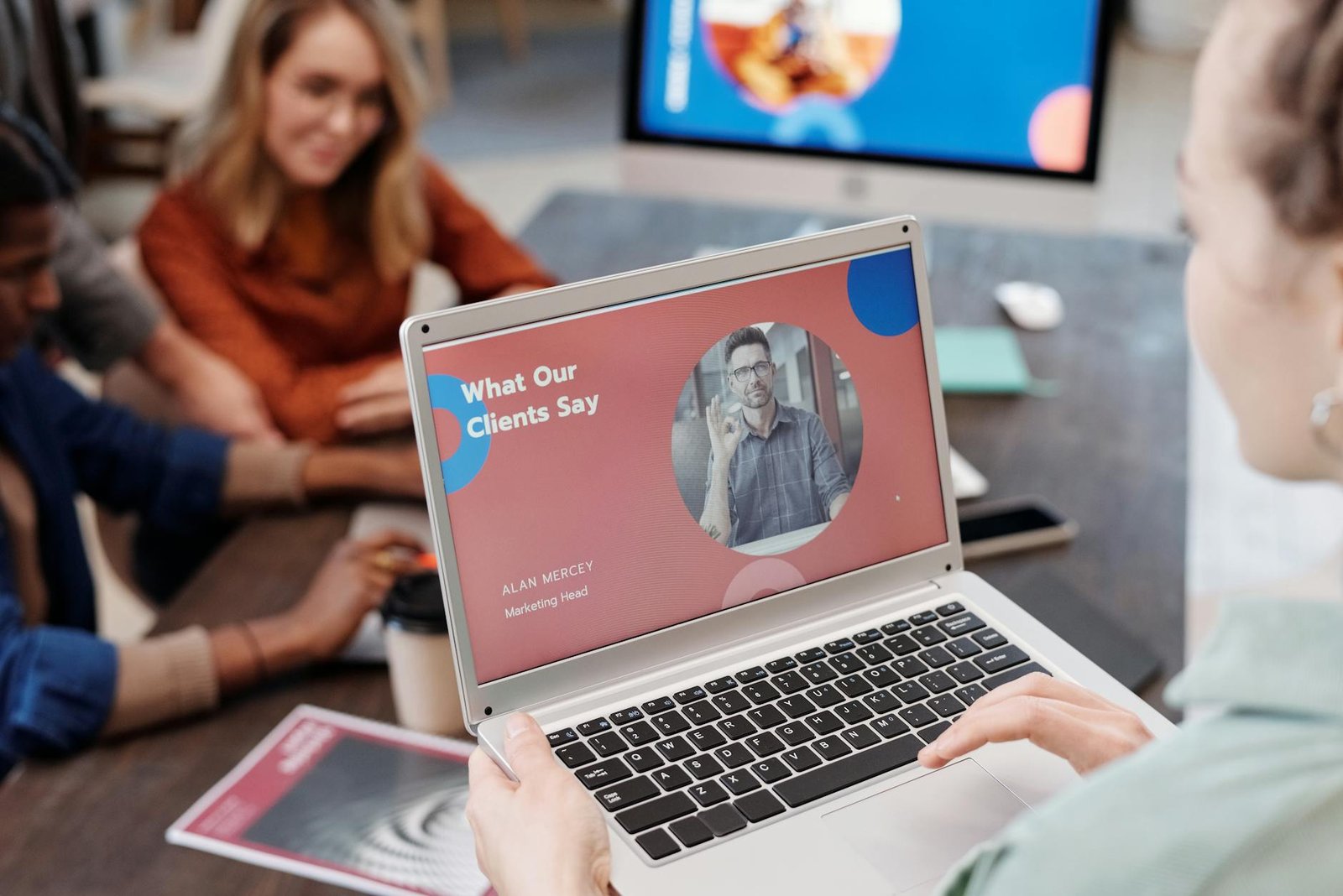
The distinction is about participant roles, not audience size alone. In meeting mode, everyone is both a speaker and a viewer by default. Muting and camera controls are shared, and the session feels collaborative. In webinar mode, attendees join as viewers only. The host and designated panellists have camera and audio access; attendees interact through Q&A, polls, and the chat panel.
| Dimension | Meeting Mode | Webinar Mode |
|---|---|---|
| Default attendee role | Participant (audio + video) | Viewer (listen/watch only) |
| Max capacity | 250 participants | Up to 3,000 attendees |
| Registration | Optional | Built-in with approval flow |
| Q&A moderation | Basic | Full (upvote, answer, dismiss) |
| Best for | Team calls, client reviews, workshops | Product demos, training, lead gen events |
Use meeting mode for any session where back-and-forth is the point. Use webinar mode when you need a controlled broadcast format, registration data for your CRM, or an audience larger than 250.
This comparison is not for teams starting from scratch. It is for teams already running Zoho CRM, Desk, or Cliq who are deciding whether to consolidate onto Zoho Meeting or keep a Zoom subscription.
| Factor | Zoho Meeting | Zoom |
|---|---|---|
| Price (per host/month, annual) | From USD 3 (Standard, 100 participants) | From USD 15.99 (Pro, 100 participants) |
| Free plan limits | 100 participants, 60 min cap | 100 participants, 40 min cap |
| Zoho CRM integration | Native, built-in | Third-party connector required |
| Zoho Cliq integration | One-click start from channel | Not available natively |
| Admin console | Shared with Zoho org admin | Separate Zoom admin panel |
| Data residency control | EU, US, AU via Zoho DC selection | Available on Enterprise plans |
| Breakout rooms | Professional plan (USD 9/host/month) | Pro plan and above |
| AI meeting summaries | Via Zia (Zoho One and higher tiers) | Available on paid plans |
| Third-party app ecosystem | Limited to Zoho apps primarily | 600+ app integrations |
The honest answer: if your team relies on non-Zoho tools (Salesforce, HubSpot, Slack, Notion), Zoom’s wider integration ecosystem matters. If your stack is primarily Zoho, paying five times more per host for Zoom’s integrations that you will not use makes no practical sense.
Security posture is comparable at the mid-tier. Both platforms offer end-to-end encryption options, waiting rooms, password protection, and audit logs. Zoom has a larger security track record to scrutinise (and has done so publicly); Zoho Meeting inherits Zoho’s ISO 27001 and SOC 2 certifications from the parent platform.
Zoho Meeting pricing is per host, billed annually. A host is any user who can start and manage meetings; participants joining a meeting do not need a paid seat.
| Plan | Price (USD/host/month, annual) | Participants | Key Limits |
|---|---|---|---|
| Free | 0 | 100 | 60-min cap, no cloud recording |
| Standard | 3 | 100 | No time cap, 10 GB cloud recording |
| Professional | 9 | 250 | Breakout rooms, 100 GB cloud recording |
Webinar hosting is a separate add-on layered on top of a meeting plan. Webinar capacity tiers start at 25 attendees (free) and scale to 3,000 on the highest paid webinar add-on.
For small businesses with five to ten people who run internal team calls and occasional client calls under an hour, the free plan is functional. The upgrade trigger for Standard is almost always the 60-minute limit. The upgrade trigger for Professional is participant count above 100 or the need for breakout rooms.
Teams on Zoho One should confirm their meeting plan inclusion before purchasing a standalone Zoho Meeting subscription. Zoho One includes meeting functionality at higher participant limits than the default free plan. If you need help configuring Zoho Meeting as part of a wider Zoho rollout, the Zoho implementation services we provide at Aaxonix cover initial setup through to CRM and Cliq integration.
Can external participants join a Zoho Meeting without a Zoho account?
Yes. External participants can join via browser link with no account or app download required. The host shares a meeting URL and participants click it. For app-based joining, the Zoho Meeting app is free to download, but it is not required.
How does Zoho Meeting integrate with Zoho CRM specifically?
From a CRM contact or lead record, you can schedule a Zoho Meeting directly using the built-in integration. The meeting appears as an activity in the CRM timeline. After the meeting, notes, recording links, and attendance data can be logged back against the record. This requires Zoho CRM Professional or above and Zoho Meeting Standard or above.
Is Zoho Meeting GDPR compliant?
Zoho Meeting is GDPR compliant. Zoho offers data centre selection (EU, US, Australia, India) so meeting data stays within the chosen region. Zoho holds ISO 27001 and SOC 2 Type II certifications that cover the Meeting platform. A Data Processing Agreement (DPA) is available from Zoho’s privacy portal.
What is the difference between a Zoho Meeting host and a participant?
A host is the account holder who schedules and starts meetings. Only hosts require a paid seat. Participants are anyone invited to join; they do not need a Zoho account or a paid plan. This means a five-person team with one paid host licence can run meetings with hundreds of external participants at no extra cost.
Can Zoho Meeting recordings be shared outside the organisation?
Yes. Cloud recordings generate a shareable link. The host can set the link as public (anyone with the link can view) or password-protected. The recording is stored in the host’s Zoho account and counts against the plan’s cloud storage quota. There is no built-in expiry date, but the host can delete recordings manually to free up storage.
Setting up Zoho Meeting across your team or connecting it to Zoho CRM and Cliq? Aaxonix handles Zoho implementation from initial configuration through to CRM workflow automation and training.
Book a free consultationZoho Meeting earns its place for teams already committed to the Zoho stack. The pricing is materially lower than Zoom at every tier, native integrations with CRM and Cliq remove manual steps that add up over time, and the webinar mode covers broadcast use cases without a separate platform subscription. If your current conferencing tool sits outside your core software stack and you are paying more than USD 5 per host per month for it, running a three-month trial of Zoho Meeting on Standard is a straightforward test with a clear decision point.
Tell us what you are working through and a senior architect from our team will get back to you with a straight answer, usually within a couple of working days. No bot, no hard sell.
A senior architect will get back to you at , usually within a couple of working days. Worth checking your spam folder, just in case.
Set up NetSuite MRP with bills of materials, work orders, and production scheduling to automate…
A practical guide to the Zoho One implementation timeline: workspace setup, module go-lives, integrations, and…

Proven Zoho implementation best practices: discovery, data migration, UAT, user adoption, and post-go-live governance to…
Tell us what you are actually trying to do. You will get a straight answer from a senior architect who has done this before, not a sales rep.
A senior architect will get back to you at , usually within a couple of working days. Worth checking your spam folder, just in case.
Ask it now and a senior architect will get back to you, usually within a couple of working days. It goes to our team, not a mailing list.
A senior architect will get back to you at , usually within a couple of working days. Worth checking your spam folder, just in case.