

Blog
Zoho Books vs Xero: Which Accounting Software Should You Choose?
On this page Choosing between Zoho Books vs Xero comes down to more than a…
10 min read
Read article →
Missed follow-ups, stalled deals, and no view of where revenue is stuck, these are symptoms of a sales process that lives in spreadsheets or email threads. A properly built Zoho CRM sales pipeline features sales pipeline gives your team a single place to manage every deal, from first contact to signed order.
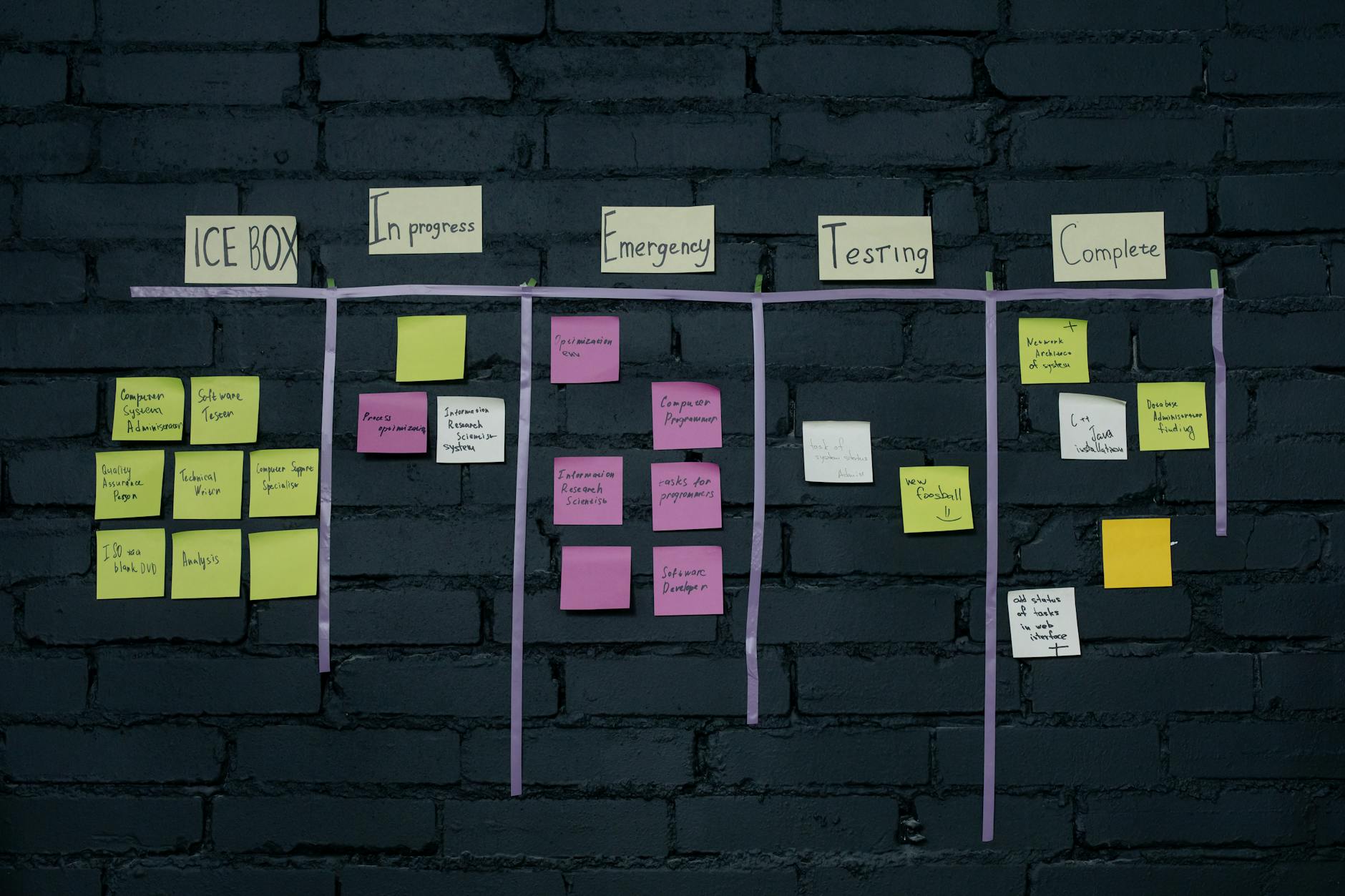
A pipeline in Zoho CRM is a set of deal stages that mirrors your actual sales process. Each deal card sits in one stage at a time. As the deal progresses, your rep moves it forward. The system tracks time in each stage, calculates probability-weighted revenue, and flags deals that have gone cold.
Unlike a flat list of leads, a pipeline view shows you in seconds which deals need attention and which are on track. For Indian sales teams managing 50 to 500 active deals at a time, this is the difference between a managed pipeline and a guessing game.
Map your real sales process on paper first. A typical Indian B2B sales cycle runs through these stages:
Keep it to 5 to 7 active stages. More stages than that usually means you have sub-steps that belong in a task checklist, not the pipeline itself.
Go to Settings > Deals > Pipelines. Create a new pipeline, give it a name (e.g., “SMB Sales”), and add your stages in order. For each stage, set a probability percentage that reflects your actual close rate at that point.
A typical probability mapping:
| Stage | Probability |
|---|---|
| New Lead | 10% |
| Qualified | 25% |
| Demo Done | 45% |
| Proposal Sent | 60% |
| Negotiation | 80% |
| Closed Won | 100% |
You can create a second pipeline for a different product line or team, for example, one for SMB deals under Rs. 5 lakh and another for enterprise deals with a longer approval process.

A pipeline forecast is meaningless without two fields: Amount (in INR) and Expected Close Date. Make these mandatory in the Deals module layout. No deal should advance past Qualified without both fields filled.
Zoho CRM’s Kanban view then automatically shows total deal value per stage and weighted forecast for the month, without anyone running a report manually.
Use Settings > Automation > Workflow Rules to trigger actions when deals change stage:
Build a Pipeline by Stage report in Zoho Analytics dashboards showing deal count and value per stage, compared to the previous week. Add an Average Days in Stage report to see where deals slow down before closing.
Review these every Monday. Any deal stuck in Proposal Sent for more than 10 days without a logged activity needs direct manager attention, not a reminder email to the rep.
Most Indian SMBs adopting Zoho CRM are not starting from zero. Every open deal already sits in a spreadsheet with a column for stage, value, and next action. The switch to Zoho CRM is a migration exercise, not a blank-slate setup, and it goes faster when the spreadsheet is prepared before anyone touches the import wizard.
Check the test batch carefully for date errors. Spreadsheet exports commonly save dates as DD/MM/YYYY, while the import wizard’s date format setting can read them as MM/DD/YYYY, which quietly pushes close dates a month off. Confirm the date mapping on the test rows before importing the rest, then run the CRM and the spreadsheet side by side for a week or two while reps get used to logging calls and emails directly on the deal record.
The workflow rules in Step 4 react after a deal has already changed stage, sending an alert or creating a task. They cannot stop a rep from skipping a step. Zoho CRM’s Blueprint, found under Settings, then Automation, then Blueprint, works the other way round: it defines what must happen before a deal is allowed to move to the next stage at all.
A Blueprint transition can require a rep to log a completed demo activity before a deal moves from Demo Done to Proposal Sent, or require manager approval on any deal above a set value before it can be marked Closed Won. The rep sees this as a guided checklist on the deal record itself, not a report a manager checks after the fact.
Blueprint is worth building once stage definitions have stopped changing month to month. Add it too early, while the pipeline itself is still being adjusted, and the transition rules need rebuilding every time the process shifts. Most teams get more value running on workflow rules alone for a full sales cycle first, then layering Blueprint on top once the pipeline has proven stable.
If you are setting up a pipeline specifically for a B2B sales process, our guide on setting up Zoho CRM for B2B sales in India covers qualification frameworks and lead assignment rules. Once deals progress to proposal stage, the Zoho CRM quote and proposal automation guide shows how to generate quotes directly from deals and connect them to Zoho Books.
Tell us what you are working through and a senior architect from our team will get back to you with a straight answer, usually within a couple of working days. No bot, no hard sell.
A senior architect will get back to you at , usually within a couple of working days. Worth checking your spam folder, just in case.
On this page Choosing between Zoho Books vs Xero comes down to more than a…

What SuiteScript is, when Indian businesses need it, and how to use NetSuite customisation to…
Learn how law firms use Zoho WorkDrive for matter-based folder structures, version control, access permissions,…
Tell us what you are actually trying to do. You will get a straight answer from a senior architect who has done this before, not a sales rep.
A senior architect will get back to you at , usually within a couple of working days. Worth checking your spam folder, just in case.
Ask it now and a senior architect will get back to you, usually within a couple of working days. It goes to our team, not a mailing list.
A senior architect will get back to you at , usually within a couple of working days. Worth checking your spam folder, just in case.