

Blog
Best Zoho CRM Integrations for Global Teams: A Complete Setup Guide (2026)
The best Zoho CRM integrations automate workflows, sync data, and enhance collaboration across your tech…
18 min read
Read article →
If you want to know how to automate customer onboarding, the starting point is understanding what actually breaks in manual onboarding processes. A new customer signs a contract, and then the clock starts ticking. How fast your team delivers value determines whether that customer stays past their first renewal. Most onboarding failures are not product failures. They are coordination failures: the wrong task sits with the wrong person, a welcome email goes out two days late, no one tracks whether the customer completed setup. Automation fixes the coordination layer so your team can focus on the work that actually requires human judgment. This post walks through a complete onboarding automation architecture, from deal-close trigger to health scoring, with practical guidance on tools and the most common mistakes to avoid.

The relationship between onboarding quality and retention is measurable and direct. Research on customer onboarding consistently shows that customers who reach their first meaningful outcome within 30 days of signing are significantly more likely to renew than those who hit that milestone after 60 or 90 days. In B2B SaaS, this is often called time-to-value, and shortening it is the primary goal of any onboarding program.
Manual onboarding creates three specific problems that automation addresses. First, handoff latency: the gap between a deal closing and the customer success team beginning work is often 24 to 72 hours when someone has to manually create tasks and send welcome materials. Second, inconsistency: different CSMs run onboarding differently, so some customers get thorough check-ins and others get minimal follow-up. Third, visibility gaps: without automated tracking, managers cannot see which customers are stalled until the relationship has already degraded.
You can reduce churn with crm automation by catching at-risk customers early, but that only works if your onboarding data is being captured consistently from day one. A fully automated onboarding workflow is what makes that data consistent.
A customer who takes 90 days to complete setup instead of 30 days has spent two additional months without realizing the value they paid for. That creates pressure on renewals conversations before the relationship has a chance to establish trust. In professional services, it often means scope disputes because expectations were not confirmed in writing early enough. The financial cost compounds: high churn rates require more new customer acquisition to replace lost revenue, and acquisition is more expensive than retention in almost every measurable scenario.
Time to value is not the number of days until onboarding is technically complete. It is the number of days until the customer has experienced a specific, meaningful outcome that reflects the product’s core promise. For a project management tool, that might be the first project completed using the platform. For a CRM, it might be the first deal moved through the pipeline. Defining this milestone precisely is a prerequisite for building automation that tracks progress toward it.
A complete customer onboarding workflow has four phases: trigger, welcome, task execution, and milestone verification. Each phase can be partially or fully automated using a combination of your CRM, email automation, and project management tools. The level of automation you can achieve depends on how cleanly your systems are integrated and how well you have defined the steps in each phase.
| Phase | Manual Version | Automated Version | Time Saved |
|---|---|---|---|
| Deal close trigger | Sales notifies CS by email or Slack | CRM stage change fires webhook or automation rule | 2–24 hours |
| Welcome sequence | CSM writes and sends welcome email manually | Automated email + calendar invite sent within minutes | 30–60 minutes per customer |
| Task assignment | CSM creates tasks in project tool manually | Template project created and assigned automatically | 45–90 minutes per customer |
| Health check | CSM checks in ad hoc or by memory | Scheduled check-in emails + health score alerts | Variable, prevents missed follow-ups |
The most common point of failure in onboarding is the handoff from sales to customer success. The sales team closes the deal and then someone has to manually communicate that information to the CS team, who then has to manually start onboarding. Every manual step adds delay and creates the possibility of things falling through the cracks.
The fix is a CRM-based trigger. When a deal moves to “Closed Won” in your pipeline, the CRM fires an automation that initiates the onboarding sequence without anyone having to take action. This requires two things: a clearly defined pipeline stage that represents “deal closed and ready for onboarding,” and an automation rule attached to that stage transition.
For teams using Zoho CRM, this is set up through the Workflow Rules module. You create a rule triggered by the “Deal Stage” field changing to “Closed Won,” and the rule actions include creating a new contact record in the onboarding module, notifying the assigned CSM, and triggering an external webhook if you use a separate project management tool. For crm workflow automation explained in more depth, the configuration options cover branching logic based on deal size, product type, or customer segment.
Not all customers need the same onboarding path. A $500/month subscription might get a self-serve onboarding sequence with automated emails and in-app guides. A $50,000/year enterprise account needs a dedicated CSM and a structured kickoff call. Build branching logic into your trigger so the automation routes customers to the correct onboarding track based on deal value, product tier, or any other field you have in your CRM.
Automation handles the mechanics of the handoff, but context transfer still needs structure. Build a mandatory handoff notes field into your CRM that sales must complete before a deal can move to “Closed Won.” This field captures the customer’s primary use case, any commitments made during the sales process, and known risks or complexities. The automation can then include this note in the CSM’s task brief so they walk into the kickoff call informed. Reviewing your sales pipeline best practices will help you identify where to insert this field in the existing pipeline stage structure.
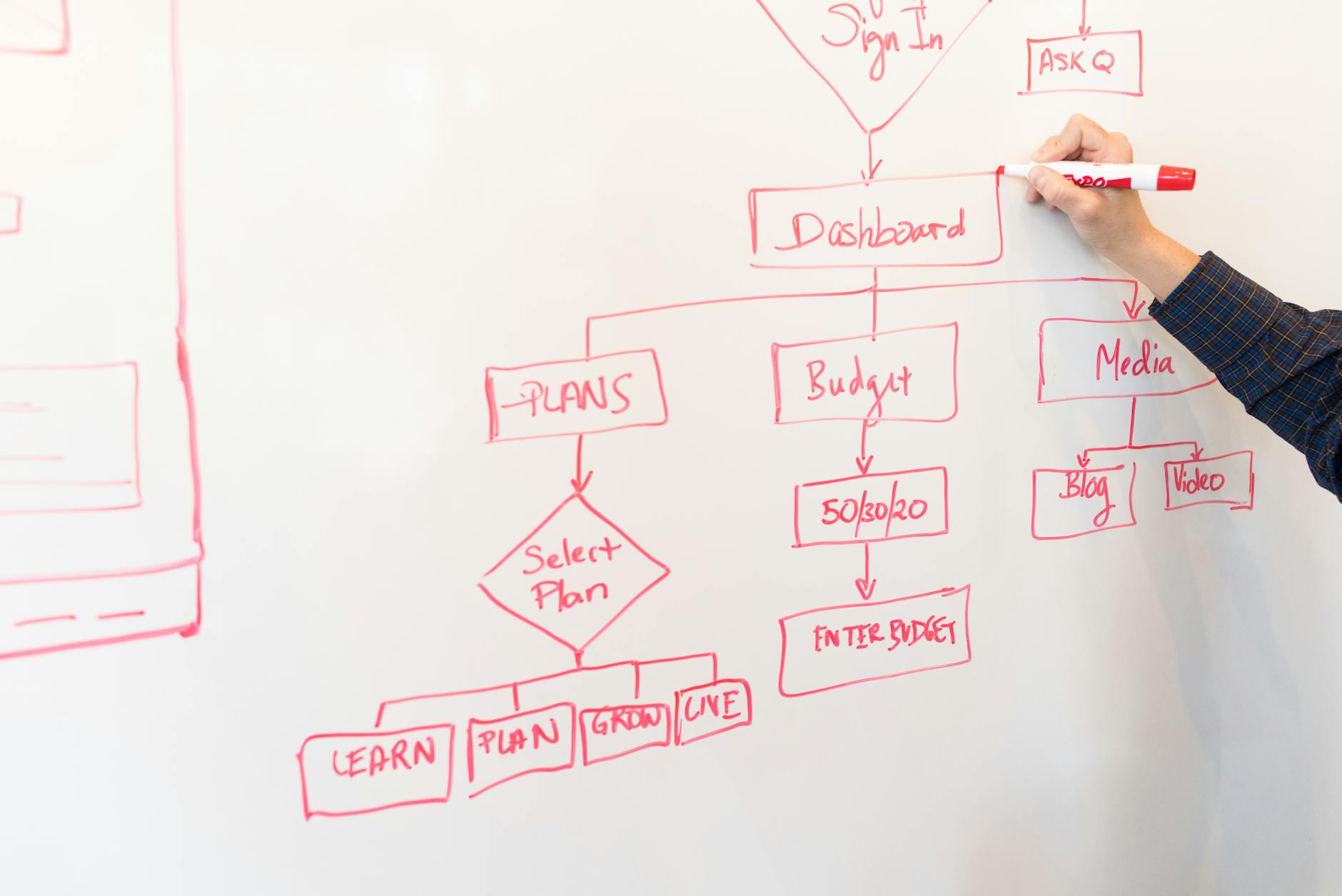
The welcome experience covers everything that happens in the first 24 to 48 hours after a deal closes: the welcome email, the kickoff call scheduling, the introduction to the CSM, and any initial setup instructions. Done manually, this takes 30 to 90 minutes per customer. Automated, it happens within minutes of the deal closing.
The automated welcome email should not read like a form letter. Use merge fields from the CRM to personalize it with the customer’s name, company name, the product or service they purchased, and the name and contact information of their assigned CSM. The email should include one clear next step, typically a link to schedule the kickoff call or a link to a self-serve setup guide, depending on the onboarding track.
A basic welcome sequence for B2B customers looks like this:
Include a scheduling link in the welcome email rather than asking the customer to coordinate times manually. Tools like Calendly or Zoho Bookings let you connect directly to your CSM’s calendar and embed availability. When the customer books, the confirmation email and calendar invite are sent automatically.
After the welcome sequence is underway, the next layer of automation handles the operational work: creating the onboarding project, assigning tasks to the right team members, and tracking completion.
Build a standard onboarding project template in your project management tool that covers every step of a typical onboarding engagement. When a new customer is triggered into onboarding, the automation creates a copy of this template, names it after the customer, sets due dates based on the deal close date, and assigns tasks to the appropriate team members based on role or territory.
A typical new client onboarding checklist template for B2B SaaS includes:
For onboarding processes that require action from the customer, use a customer portal or shared task view rather than email threads. When customers can see their pending items in a single place and receive automated reminders when tasks are overdue, completion rates improve significantly.
Onboarding automation that stops at task assignment is incomplete. The critical final layer is tracking whether the customer is actually making progress toward their first value milestone and flagging situations where they are falling behind.
Map your onboarding milestones as stages or fields in your CRM so that progress is recorded in a single system. For example: kickoff complete, data migration complete, first live use, first value milestone reached. As each milestone is hit, a team member marks it complete in the CRM, which can trigger the next automation in the sequence.
Customer success automation at the health scoring level uses a combination of product usage data, milestone completion data, and engagement data to calculate a score for each customer. A customer who has completed all onboarding tasks on schedule but has not logged into the product in seven days gets flagged differently than a customer who is slightly behind on tasks but is engaging regularly. The health score drives the CSM’s weekly priority list automatically rather than requiring them to manually review every account.
Automated check-in emails at Day 14, Day 30, and Day 60 serve two purposes: they give the customer a structured touchpoint, and they generate response data that indicates engagement level. A customer who does not open or respond to the Day 30 check-in is more likely to churn than one who replies.

The right tool stack depends on your existing systems and the complexity of your onboarding process. Most B2B companies do not need a dedicated onboarding platform. A well-configured Zoho CRM combined with an email automation tool and a project management tool covers the majority of use cases, and the full Zoho stack can handle end-to-end onboarding without stitching together third-party platforms.
| Function | Tool Options | What to Look For |
|---|---|---|
| CRM and trigger automation | Zoho CRM, HubSpot, Salesforce | Workflow rules, stage-based triggers, webhook support |
| Email sequences | Zoho Campaigns, Mailchimp, ActiveCampaign | CRM integration, merge fields, behavior-based branching |
| Project and task management | Zoho Projects, Asana, ClickUp | Template projects, client portal, CRM integration |
| Scheduling | Zoho Bookings, Calendly | Calendar sync, CRM update on booking, team routing |
| Health scoring and monitoring | Zoho CRM scoring rules, ChurnZero, Gainsight | Custom score fields, alert rules, CSM dashboards |
| Customer portal | Zoho Creator, Notion, ClientVenue | Task visibility, document sharing, progress tracking |
Automation introduces consistency, but it also amplifies whatever logic you build into it. If the logic is wrong, the automation runs the wrong process reliably and at scale. These are the most common mistakes teams make when automating customer onboarding.
Building a single onboarding sequence that applies to every customer regardless of size, complexity, or product tier creates friction at both ends. Segment your automation from the trigger point and maintain separate tracks for each customer type.
Teams often try to automate an onboarding process that has not been clearly defined. Map every step of your best onboarding engagements first, document them as a standard process, run that process manually two or three times to validate it, and then automate it.
Fully automated onboarding sequences need explicit triggers for human intervention. If a customer does not open three consecutive emails, someone needs to call them. Define these escalation triggers as part of the automation design, not as an afterthought.
Without a structured handoff notes field, qualitative context gathered during the sales process is lost at deal close and the CSM starts the relationship without it.
An onboarding is not successful when the task list is complete. It is successful when the customer has reached the first value milestone. Build a milestone confirmation step into your automation that requires the CSM to mark a “first value milestone confirmed” field in the CRM.
How long does it take to set up automated customer onboarding?
For a team with an existing CRM and email tool, a basic automated onboarding sequence covering welcome emails, task creation, and scheduled check-ins can be configured in two to four weeks. More complex implementations with health scoring and customer portals take six to twelve weeks.
Does onboarding automation work for professional services firms, or only SaaS companies?
It works for both. The mechanics are the same: a deal closes, a project is created, tasks are assigned, emails go out, and milestones are tracked. Many consulting and agency firms report saving two to four hours per new engagement with basic automation.
What is the most important metric to track in automated onboarding?
Time to first value milestone is the most predictive metric. Track it alongside kickoff call completion rate and 30-day product adoption rate. Health score trends in the first 90 days are a leading indicator for renewal outcomes six months later.
Can Zoho CRM handle the full onboarding automation workflow?
Zoho CRM handles trigger logic, routing, task notifications, and CRM-side tracking well. Zoho Campaigns integrates for the email sequence layer. Zoho Projects supports template-based project creation. The full Zoho stack covers most B2B onboarding workflows without external tools.
How do you avoid making automated onboarding feel impersonal?
Use merge fields for personalization, write copy that addresses the customer’s specific outcome, and build escalation points where a human steps in for high-value or at-risk customers.
Want to build an onboarding automation system that reduces time to value and improves retention? Our team designs and configures CRM-based onboarding workflows for B2B SaaS and professional services firms.
Book a free consultationThe practical starting point is to document your current best onboarding engagement, identify every step that involves coordination rather than real customer work, and automate those steps first. Most teams can cut their time-to-value by 30 to 50 percent within the first quarter of implementing structured onboarding automation, without adding headcount.
Tell us what you are working through and a senior architect from our team will get back to you with a straight answer, usually within a couple of working days. No bot, no hard sell.
A senior architect will get back to you at , usually within a couple of working days. Worth checking your spam folder, just in case.
The best Zoho CRM integrations automate workflows, sync data, and enhance collaboration across your tech…
Zoho CRM vs Zoho One compared for Indian buyers: pricing in INR, what each includes,…

How Indian clinics, hospitals, and healthcare businesses use Zoho CRM, Zoho Books, and Zoho One…
Tell us what you are actually trying to do. You will get a straight answer from a senior architect who has done this before, not a sales rep.
A senior architect will get back to you at , usually within a couple of working days. Worth checking your spam folder, just in case.
Ask it now and a senior architect will get back to you, usually within a couple of working days. It goes to our team, not a mailing list.
A senior architect will get back to you at , usually within a couple of working days. Worth checking your spam folder, just in case.